
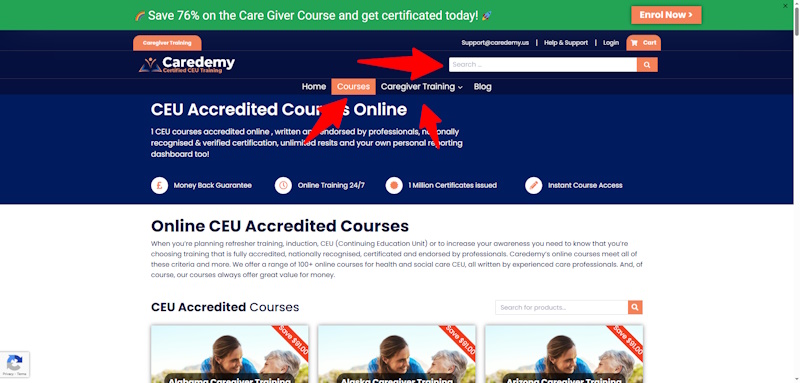
Search for the course you need via the categories in the menu or search bar
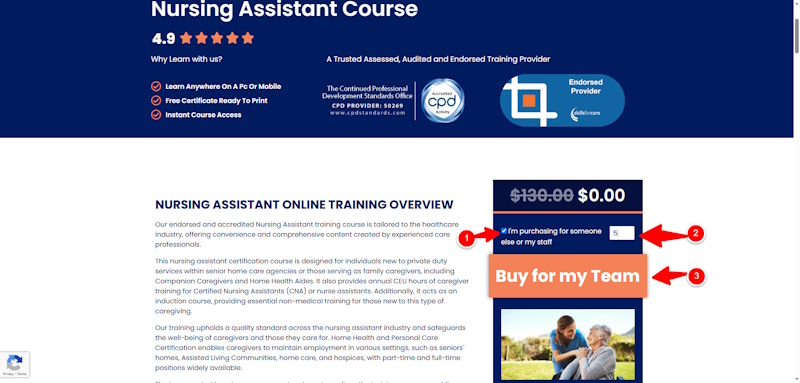
Check the box that you are purchasing for someone else and enter the number of learners in the quantity box you require the course for, then click “Get started”
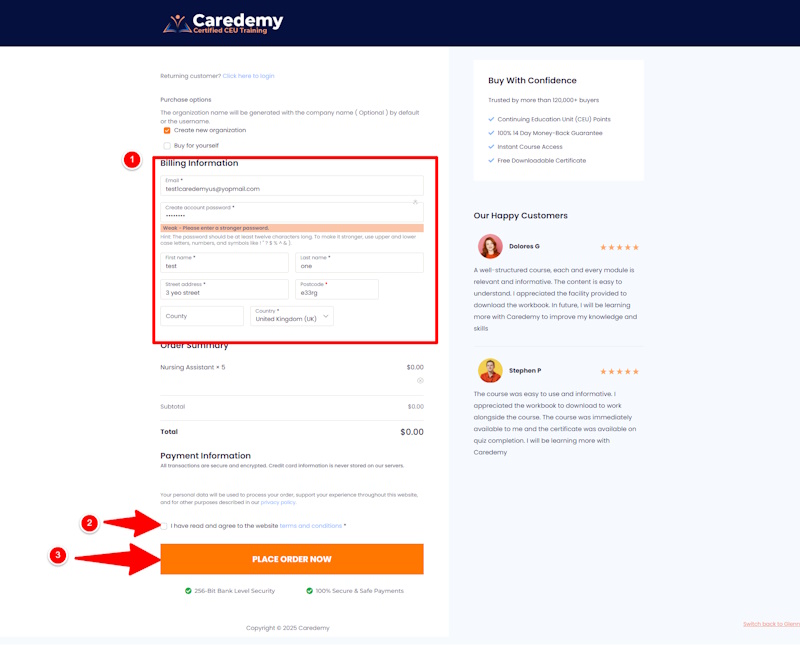
Enter your billing information, ensure you tick the box at the bottom regarding terms, then place the order now
Registration is automated online, and you enter the learner details after checkout
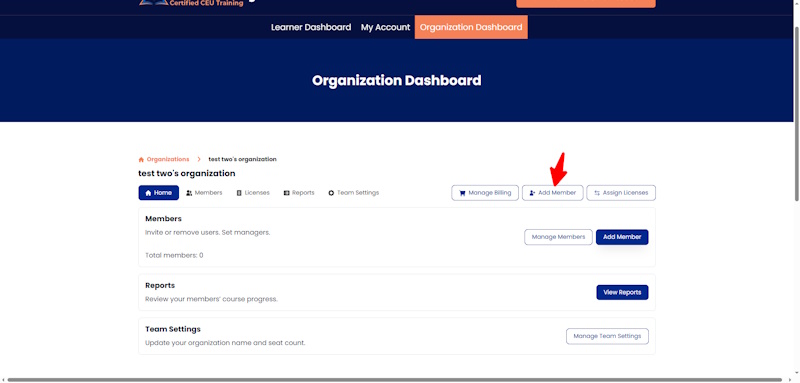
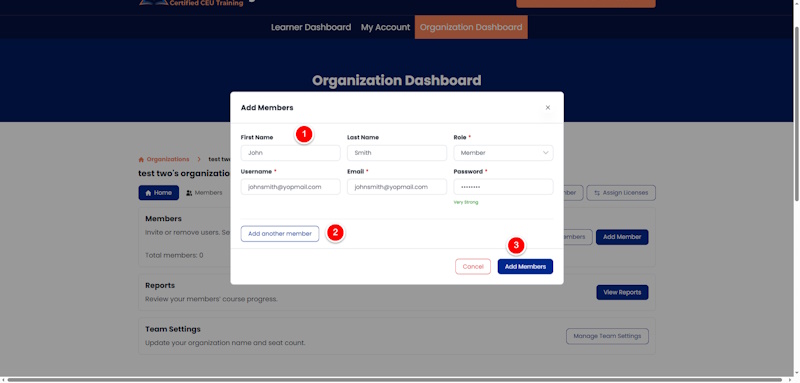
Click on the “add members” button
Enter the learner’s first and last name, the role Member means they are a learner
For the username, you can duplicate their email address in this field
You can add additional memebers by clicking “add another member”
Once done click “add members”
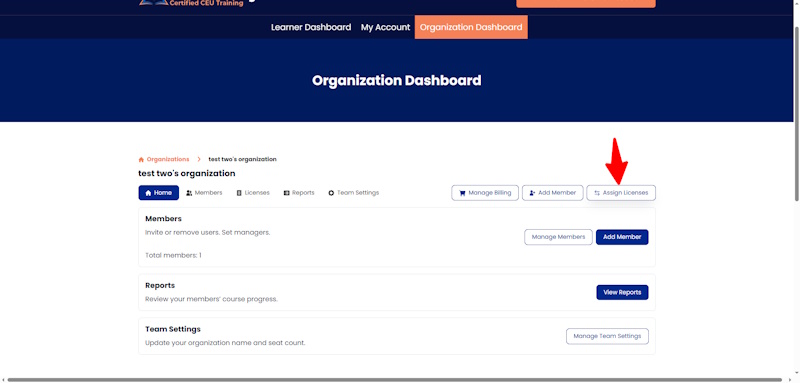
Click the assign courses button
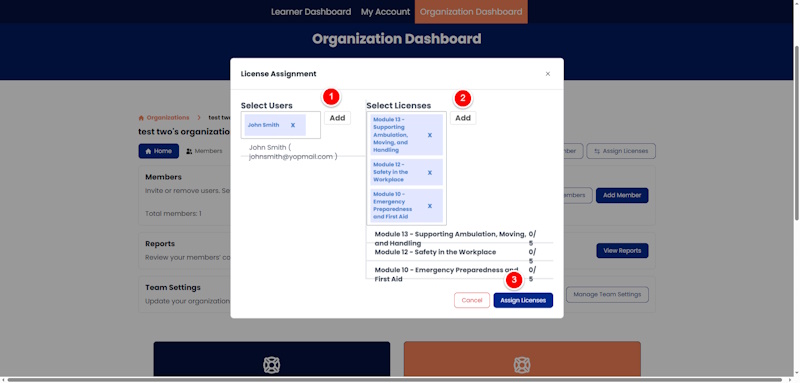
Click the add button and select the users you want to add
Click the add button and select the courses you want to assign to that learner
In this way, you can allocate courses to multiple learners.
Click the button to assign licencees
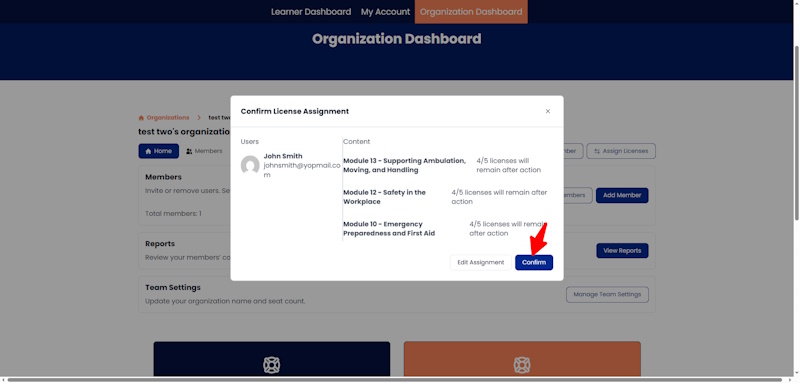
If all is correct click “confirm”
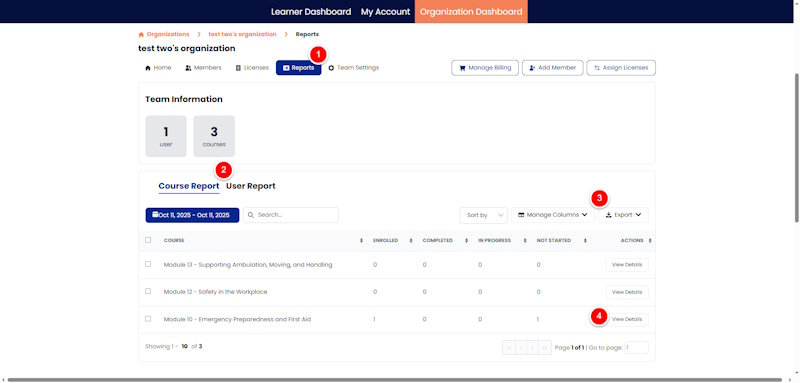
Click on reporting
View course reports or learner reports
Sort by date, manage columns and export data
View learner-specific reporting details